
How to print a tattoo stencil at true size
A stencil only helps if it prints at the size you planned. Here is how to print one at 100%, check it with its ruler, pick the right copy for your transfer method and put a tall design back together, using real stencil pages from InkFit's PDF.
1. Print at 100%, not “Fit to page”
Print dialogs often shrink a page to fit the printer's margins. That is fine for a letter and wrong for a stencil: a 3-inch design printed at 97% comes out almost a tenth of an inch narrower, and the error grows with the size.
- Set the scale to 100% or choose Actual size.
- Turn off Fit to page, Shrink to fit or Fit to printable area.
- Use US Letter paper. On A4, still print at 100%: the Letter page is 0.23 in wider than A4, which only trims the empty margin, and the ruler tells you if anything was scaled.
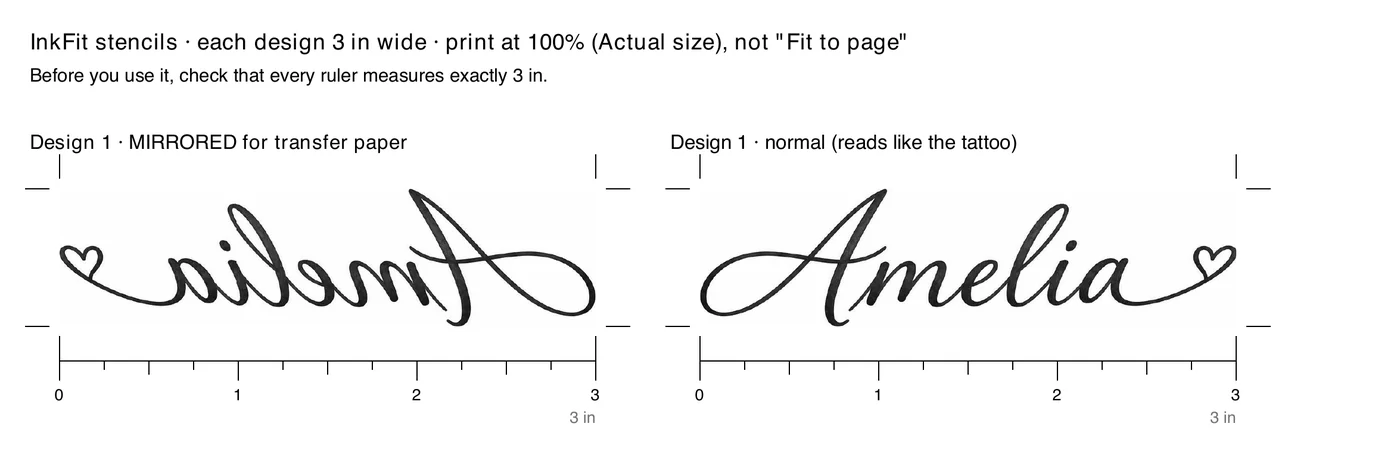
2. Measure the ruler before you use it
Every copy on an InkFit stencil page sits above a ruler exactly as wide as the design, with a tick every quarter inch and a number every inch. Lay a real ruler or tape measure along it. For the Amelia example, it must read 3 inches from 0 to 3.
If it is off, the print setting scaled the page. Fix the setting and print again; don't try to correct it by hand, because the whole design is off by the same percentage.
3. Mirrored or normal: pick the copy your transfer method needs
Whatever touches the skin is pressed on like a stamp, so it lands flipped. That is why the page has both copies.
| Copy | What it is for |
|---|---|
| Mirrored | Printing straight onto printable transfer paper. Pressing it onto the skin flips it back, so lettering reads correctly. |
| Normal | Reads like the finished tattoo. Use it to check placement in a mirror, to show your artist, or with a thermal copier that flips the image itself. |
Thermal copiers differ: some flip the image, some have a mirror setting. Before you use any stencil on skin, make a test transfer on plain paper. A name must read the right way on the test.
4. Tall designs come in overlapping parts
Width is measured across the widest point, so a narrow design gets tall fast. The fine-line moon example is 3 in wide and, at that width, 10.4 in tall: more than a Letter page holds. The PDF splits it into parts that overlap by half an inch. On part 1, a dashed line half an inch above the bottom marks where part 2 begins; on part 2, a dashed line half an inch below the top marks where part 1 ends. Lay the top edge of part 2 on the dashed line of part 1, check that the lines meet, and tape the parts together.
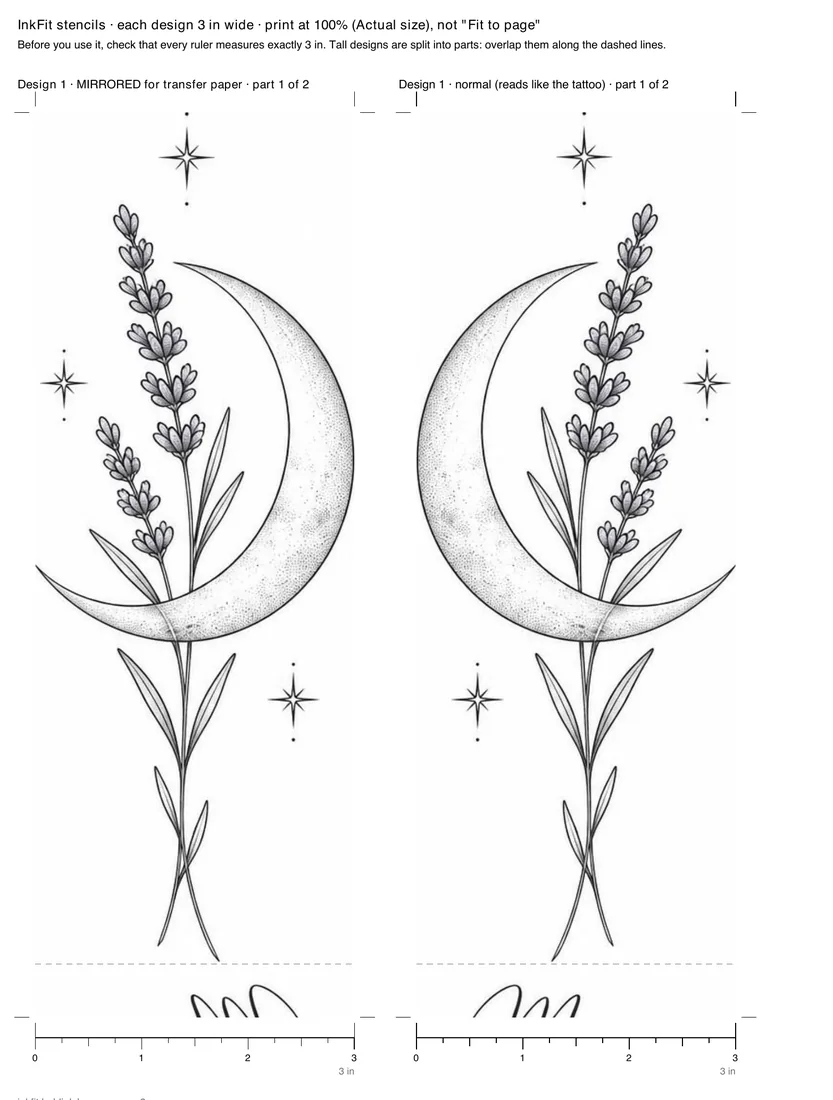
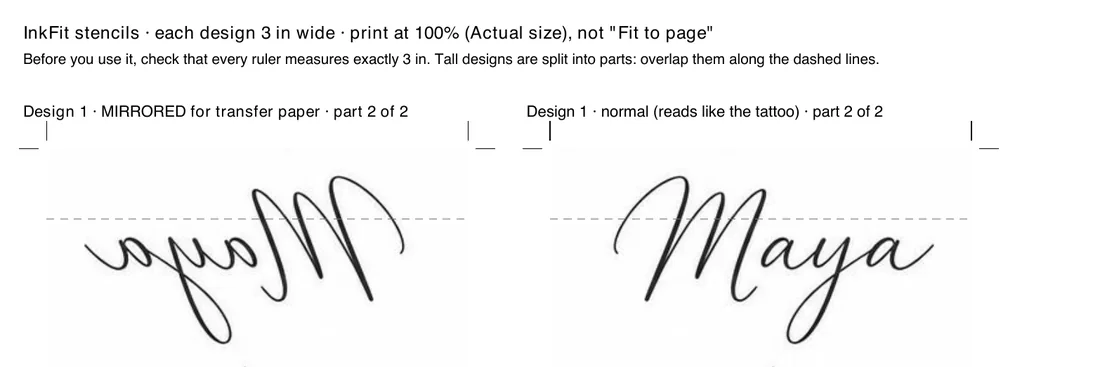
These two pages were made by InkFit's PDF code from the moon design itself. In a paid order, the stencil pages use a clean line version of each design, which the image model draws after you pay.
What you need, and what we don't sell
An InkFit order is the PDF and the images: 4 designs, the stencil pages and, if you add a photo, a try-on. Transfer paper, a thermal copier, stencil solution and the tattoo itself are up to you and your artist. We recommend that a licensed tattoo artist checks the stencil and does the tattoo.
Get your design and a stencil at the exact width
Questions
Should I print the mirrored or the normal copy?
Both are on the page. Printing straight onto transfer paper needs the mirrored copy, because pressing it onto the skin flips it back. Thermal copiers differ, so make a test transfer on plain paper and check that any lettering reads the right way.
Can I print a tattoo stencil on A4 paper?
Yes, at 100% (Actual size). The PDF is US Letter, which is 0.23 in wider than A4; at 100% that only trims the empty margin. Measure the ruler after printing.
My ruler measures less than the size I ordered. What now?
The printer scaled the page. Set the scale to 100% or Actual size, turn off Fit to page, and print again.
Why is my design so tall?
The width you choose is the widest point of the design. A narrow design, like a vertical moon or a spine piece, is several times taller than it is wide, and the PDF splits it into parts that overlap by half an inch.
Do you sell transfer paper or stencil kits?
No. InkFit sells custom designs and the stencil PDF as digital files. Nothing is shipped.